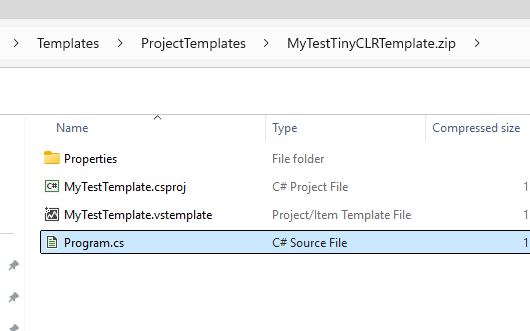
I’m trying to create some custom project templates for TinyCLR. So far, I can’t get Visual Studio 2026 to recognize them when I install them to the same place I normally put .Net templates.
So, I’d like to compare my templates to those that are part of the TinyCLR extension. But I can’t find the latter. Where does the extension install its project templates?
you can put the zip file into: C:\Users\…Documents\Visual Studio 2026\Templates\ProjectTemplates\
<VSTemplate Version="3.0.0" xmlns="http://schemas.microsoft.com/developer/vstemplate/2005" Type="Project">
    <TemplateData>
      <Name>My test TinyCLR Template</Name>
      <Description>A 2nd basic TinyCLR application template.</Description>
      <ProjectType>CSharp</ProjectType>
      <ProjectSubType></ProjectSubType>
      <SortOrder>10</SortOrder>
      <CreateNewFolder>false</CreateNewFolder>
      <DefaultName>TinyCLRApp</DefaultName>
      <ProvideDefaultName>true</ProvideDefaultName>
      <LocationField>Enabled</LocationField>
      <EnableLocationBrowseButton>true</EnableLocationBrowseButton>
    </TemplateData>
    <TemplateContent>
      <Project File="MyTestTemplate.csproj" ReplaceParameters="true">
        <ProjectItem ReplaceParameters="true" TargetFileName="Program.cs">Program.cs</ProjectItem>
        <Folder Name="Properties" TargetFolderName="Properties">
          <ProjectItem ReplaceParameters="true" TargetFileName="AssemblyInfo.cs">AssemblyInfo.cs</ProjectItem>
        </Folder>
      </Project>
    </TemplateContent>
  </VSTemplate>
1 Like