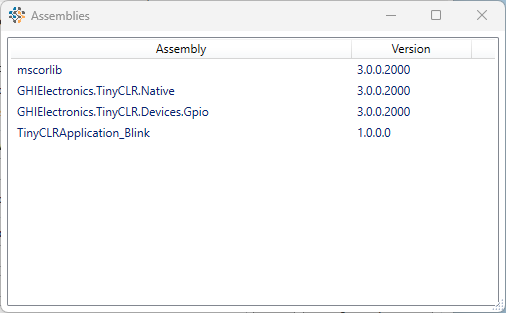
I try a new solution with a simple blink app on Fez Feather. All is working.
I try to rebuild and redeploy (with no change in code !) :
Output window says:
Looking for a device on transport 'USB'.
Found device port 'USB' with ID '258cf303-268c-469d-b870-b2ffd41b6d1d' for transport 'Usb'.
Starting device deployment.
Attempting to connect to device 'USB:SC20100': iteration 0.
Opening port '\\?\usb#vid_1b9f&pid_5010#8&29636e62&0&1#{c13bcfe9-5e84-4187-9baa-45597ffcbb6f}'.
Attaching debugger engine.
Debugger engine attached.
Generating device specific assemblies.
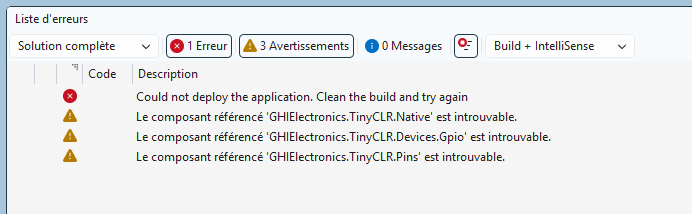
Could not deploy the application. Clean the build and try again
Close C# and reopen it, then clean and rebuild the solution.
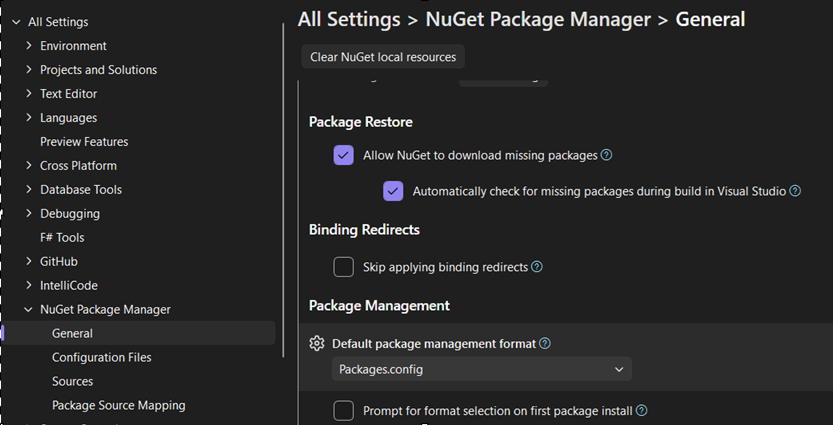
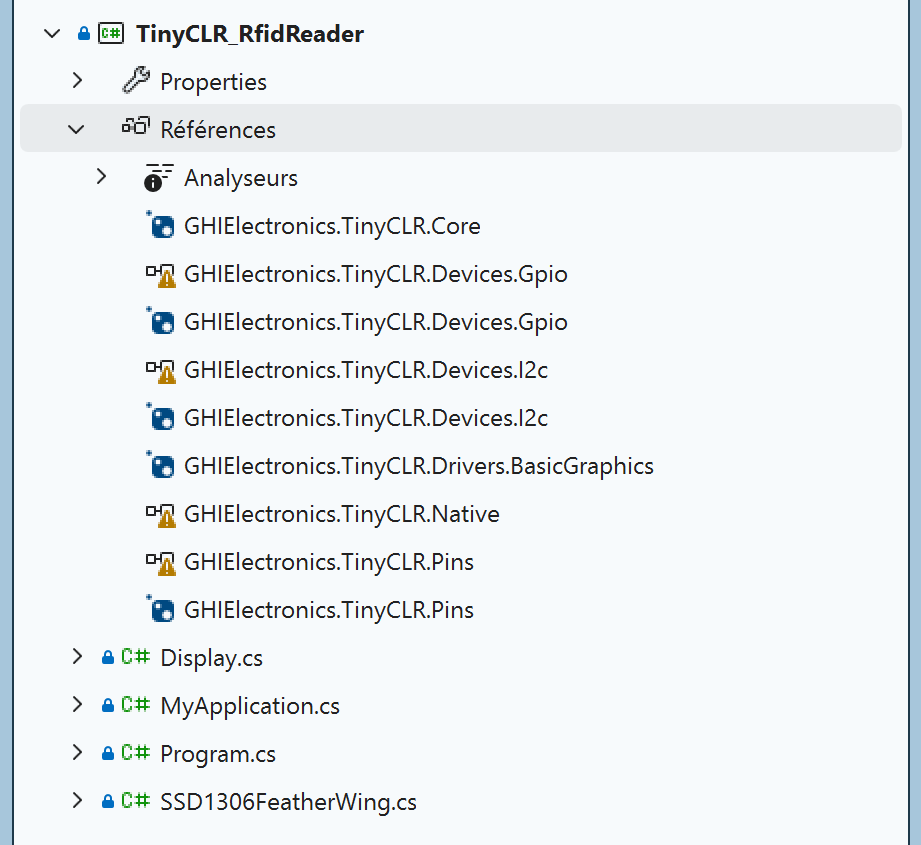
If the issue still persists, please take a screenshot of the Solution Explorer window showing the installed NuGet packages. I suspect there may be an exclamation mark icon indicating a problem. You can also try uninstalling that NuGet package and installing it again.
If you can provide the exact steps to reproduce the issue, please share them with us.
I can see the link, but it seems I can’t access the .fr site from here in the USA. I also removed your link because it appears to be a private project.
Lastly, please send it directly to me at dat.tran@gh…com. I can review it much faster than messages sent to support@.
You could edit the .csproj to convert it to packages.config, but since this is a simple project, it’s easier to just create a new project from the TinyCLR template and copy your sources into it. Just need to switch to “packages.config” as default before creating new project then VS will take care the rest when adding the nugets.
I don’t have hardware available to verify what I am seeing for now, but after checked your project, I don’t see any other reason yet. Just try it and share the result to us.
I change Default package management format in Packages.config. Recreate a project. Run it. Close solution ans VS2026, reopen it, and all is working. It’s the good reason ! You’re right (as usual ).
To got further, I check in VS2022, and Packages.config config is set. I suspect I have set it years ago, but can’t remember I did it. Maybe it could be a good idea to remember it in " Build your first project" or in " What you’ll need" page of new docs as it is not a default settings of VS2026 ?
I attempted to add the Tinyclr 3.0 extension to Visual Studio 2026, which was running in a virtual machine. However, when I searched in the extension manager, nothing appeared.
Next, I tried to manually install the extension after downloading it. Unfortunately, I couldn’t do it because the extension couldn’t find a compatible Visual Studio version to install on. What?
Of course, I didn’t fully describe my environment. I’m running on a Mac with an ARM64 chip, and I’m using the ARM64 version of Windows 11. Visual Studio 2026 works perfectly on my system.
Should the 3.0 Tinyclr extension be compatible with an Visual Studio 2026 ARM64 environment?
I suspect TinyConfig might also be an issue.
This is not an issue for me. I have an Intel machine that I’ll configure tomorrow.
Just found this in the documentation:
Visual Studio 2026 (any edition including Community) is the supported IDE for the v3 extension — and v3 also adds Visual Studio Code support via a dedicated extension. Both run on Windows only.
it is Windows so the ARM chip may be limiting visibility in the extension manager. I am not seeing any extensions.
*** I just tried to install the V3 extension into Visual Studio Code running natively on a Mac and the installation was successful. I have not tried a project yet.

 ) :
) :

 , I don’t want you kill your time.