Have a project and not sure what coding language to use? Well, DUELink lets you chose the language (and hardware) of your likeling! In this project, we use a servo motor to move a distance sensor. This allows us to scan distance in a 180 degree radius.
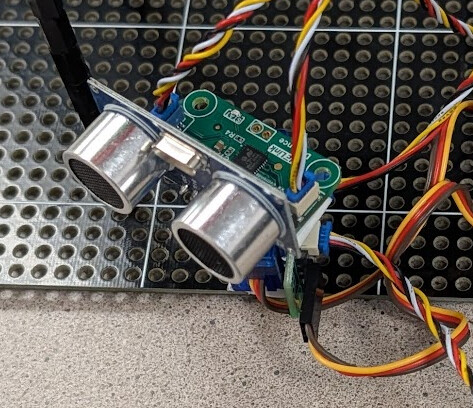
There is a fan that can also turn using its own servo motor. When a close object is detected, the servo turns the fan to point in the same direction as the distance sensor and turn the fan on until the object moves.
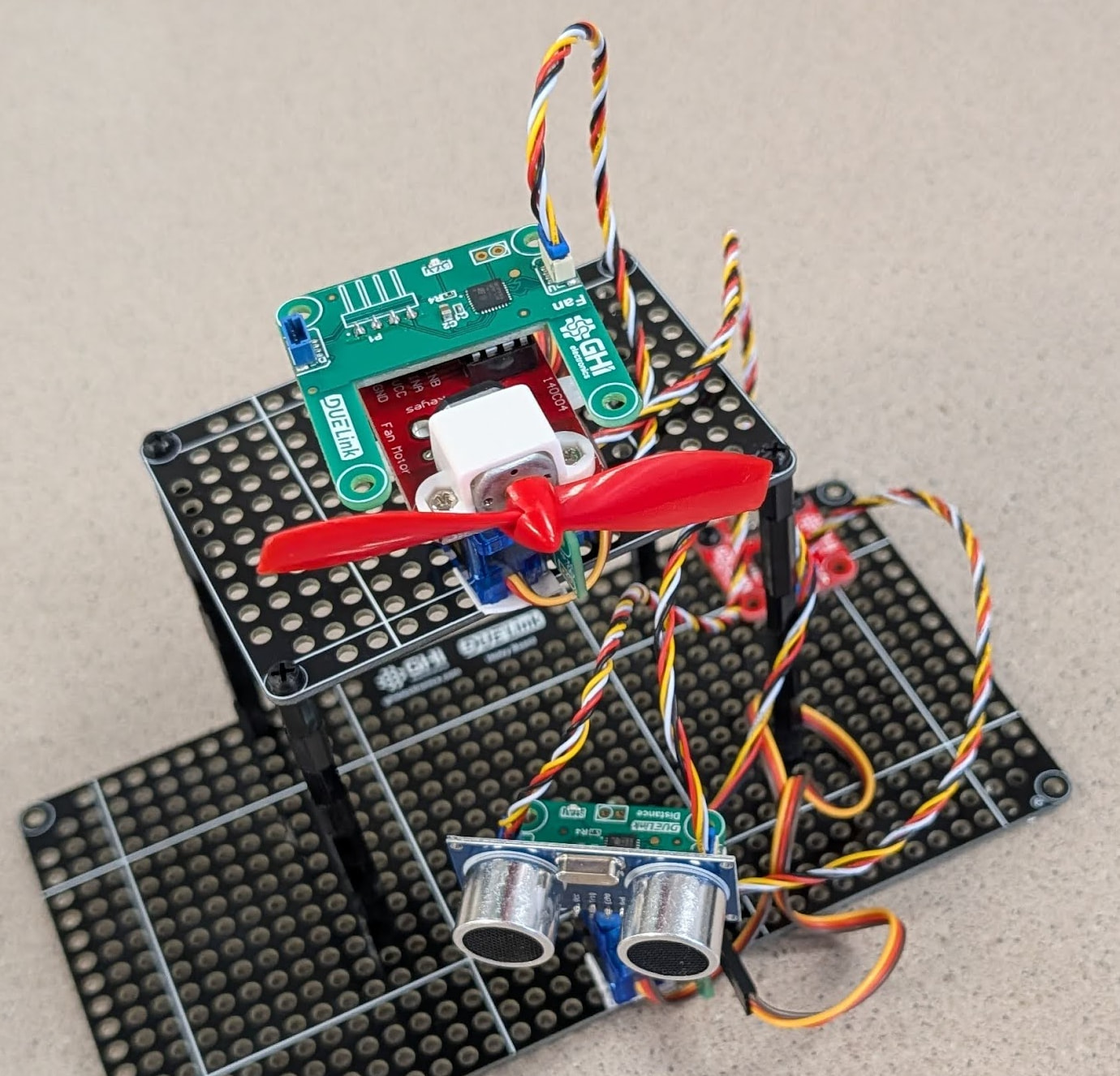
We started with project using a PC for a host hardware, which we coded in Python, JavaScript, and .NET. All similar, as they detect is there is an available DUELink module over USB.
availablePort = DUELinkController.GetConnectionPort()
duelink = DUELinkController(availablePort)
But we then wanted to control the same setup but using Arduino. We first swap the USB Hook module with an Arduino board.
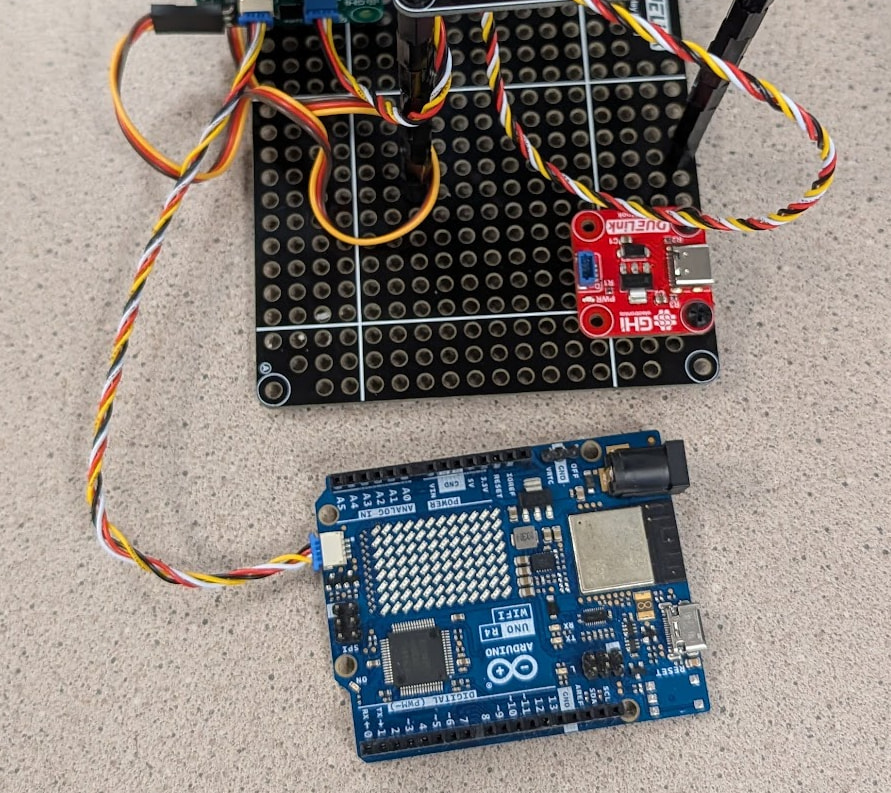
In this case we are also coding using the Arduino software. The code is very similar to using a PC except we need to setup the transport (interface) to Wire1.
TwoWireTransport transport(Wire1);
DUELink duelink(transport);
But why stop there? We also used this tiny Adafruit QT PY 2040 board that has Raspberry Pi RP2040. We used MicroPython on this board.
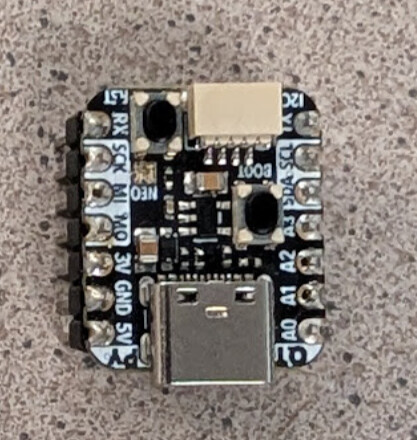
While this board has a compatible JST socket with I2C signals, the board does not include the required I2C pull up resistors. No worries, we have a pullup resistor module just for that.
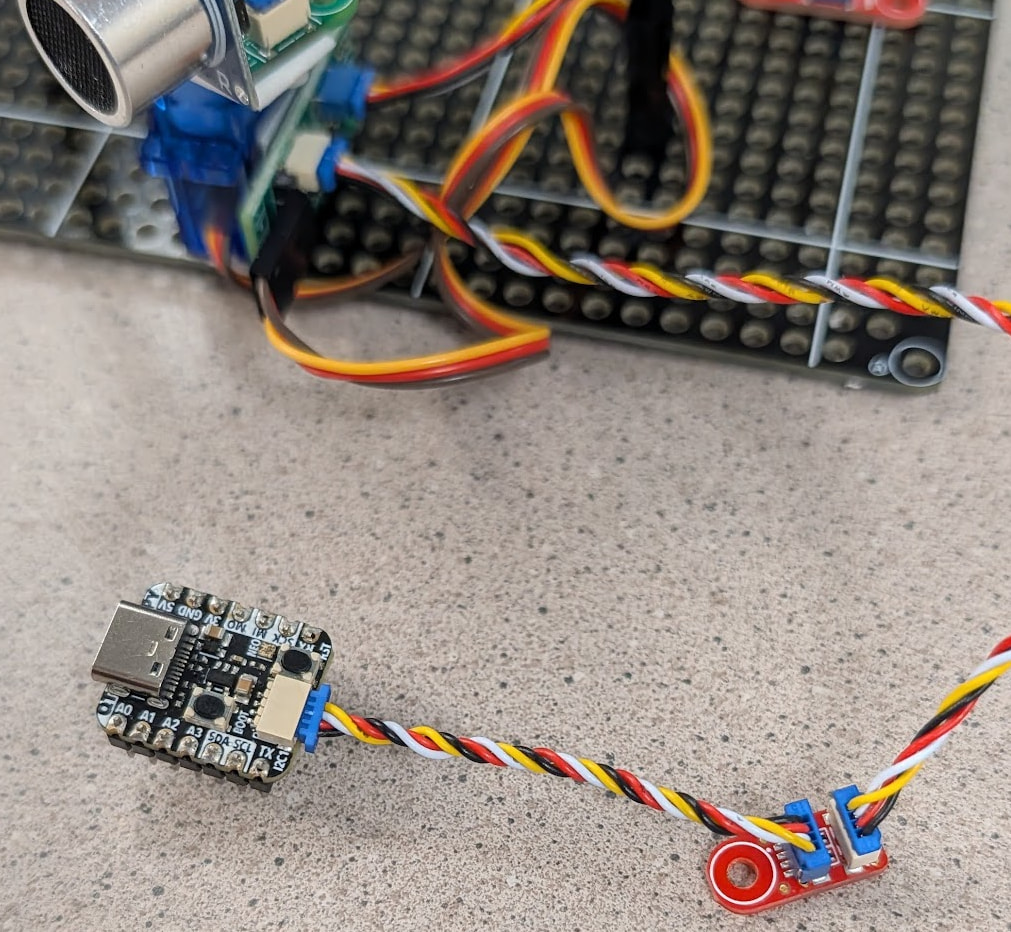
MicroPython needs to know what I2C pins to use
from duelink import transport

sclPIN = machine.Pin(23)
sdaPIN = machine.Pin(22)

i2c = transport.I2CTransportController(sda=sdaPIN, scl=sclPIN)
due = duelink.DUELinkController(i2c)
And finally, you do not need any external hardware! DUELink modules can run standalone. The example code shows how to switch the first Daisylinked module to Host Mode.
Code samples for all languages mentioned above are found here on GitHub.