Adding a color screen to any micro:bit is rather easy once you have a JST connector. Our [micro:bit support]( micro:bit | DUELink ) page shows some options. In this example, we are using LinkBit.
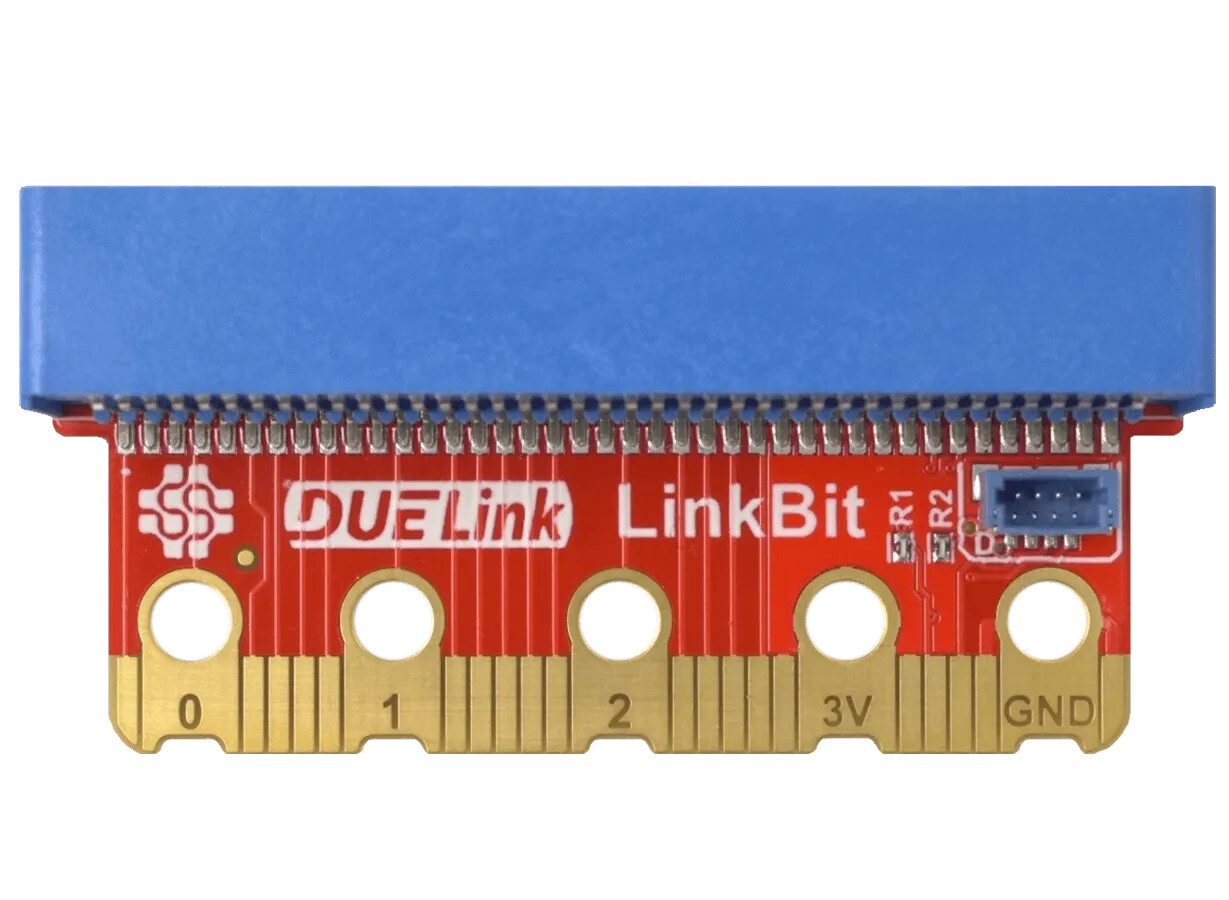
The board still exposes all edge pads pin-to-pin but it adds a Downlink connector that is wired to micro:bit’s I2C bus. We will use that to Daisylink a color display and a distance sensor.
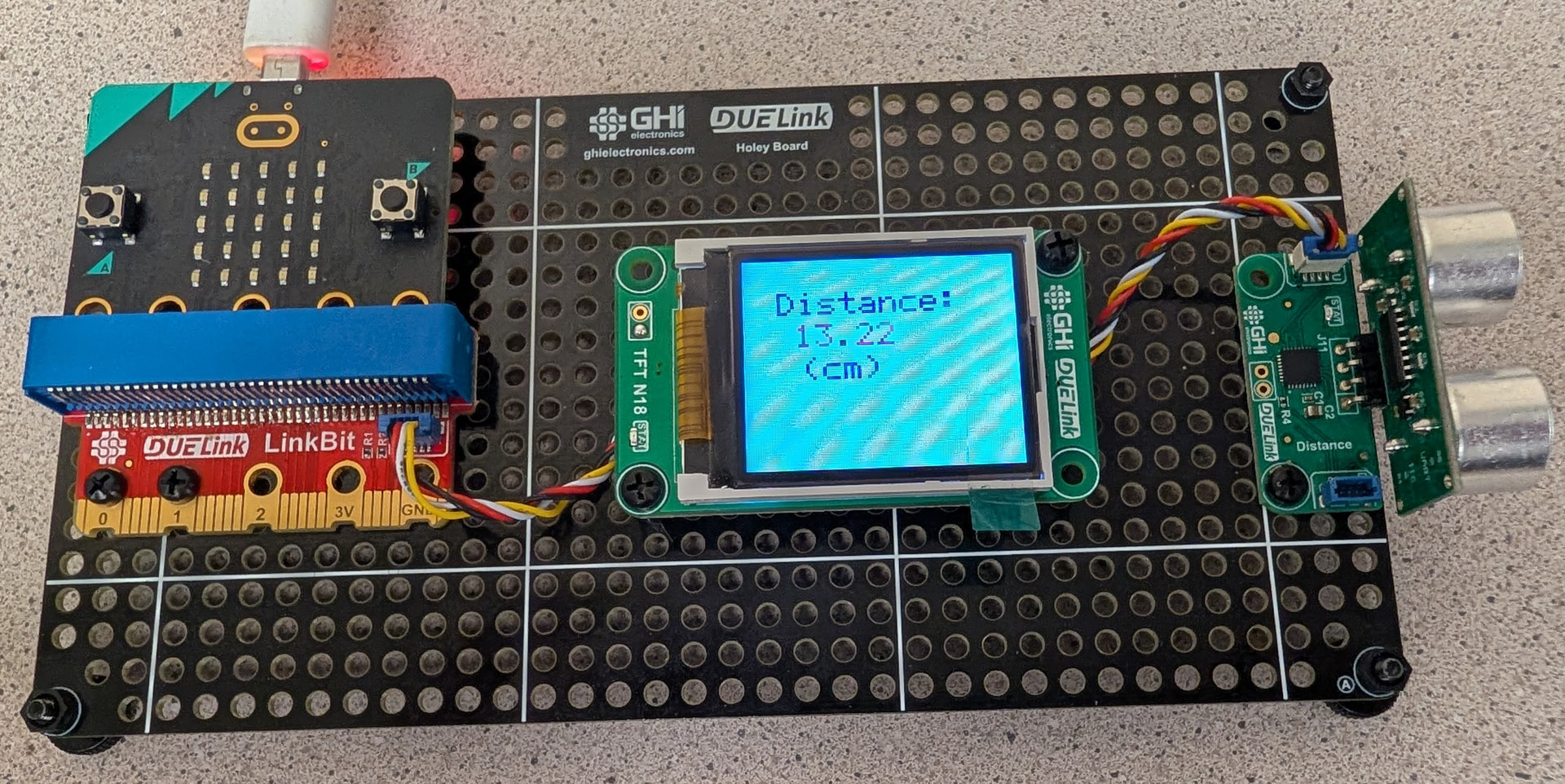
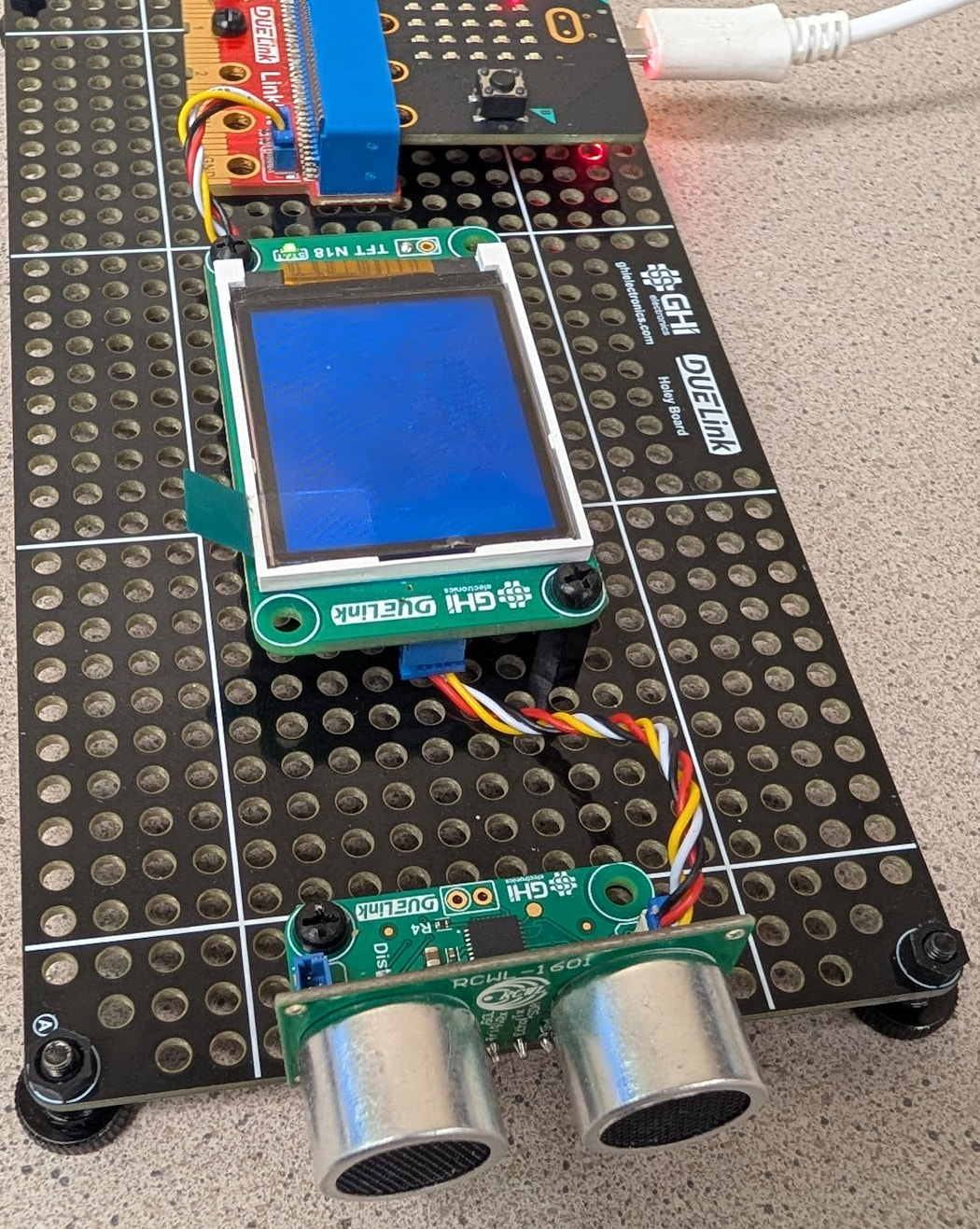
Here is it is from another angle.
With micro:bit and block-coding, we usually go for MicroBlocks, but we will use Microsoft MakeCode in this project.
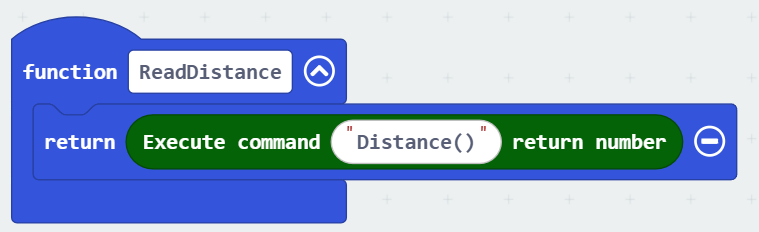
You can now send commands to draw on the display using text(“hello”,0xff0000,10,10) or read distance using distance(). Instead of typing the command in for every use, we will make a function instead. Here is the Execute command block in its simplest form.
Other commands take arguments. We have a block builder to help with those. The arguments are passed in an array, even if it is a single argument. Here is a block that sends Clear(color) command.
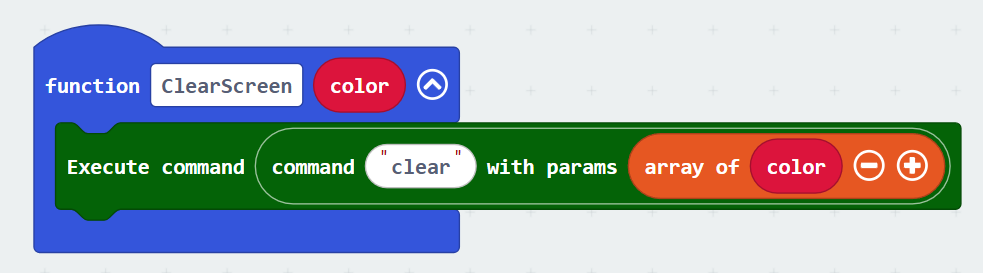
By the way, we need RRGGBB 24bit standard color and so we will make a function for that. Note how there is << shift operator in blocks. So, how did we do it?
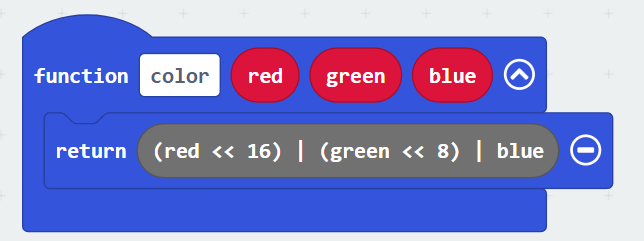
Well, jump in JavaScript Editor and type it in.
function color (red: number, green: number, blue: number) {
    return (red << 16) | (green << 8) | blue
}
In fact, if you are comfortable with code, you can make functions faster. Here is the JavaScript version of the ClearScreen function we did earlier.
function ClearScreen (color: number) {
    DUELink.ExecuteCommandNoReturn(DUELink.Command("clear", [color]))
}
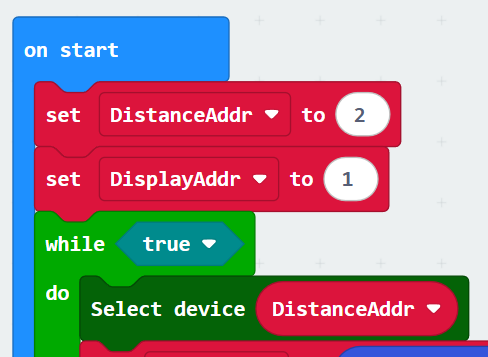
Lastly, we need to select which module the command is getting sent to. Modules addressing is easy in this demo because we only have 2 modules. The display being 1 and the distance sensor is 2. Instead of trying to memorize the module address, we will create 2 variables to help the address. Then we use those variables in our loop.
The main loop reads the distance and shows the numbers in different color if the distance is less than 15cm.
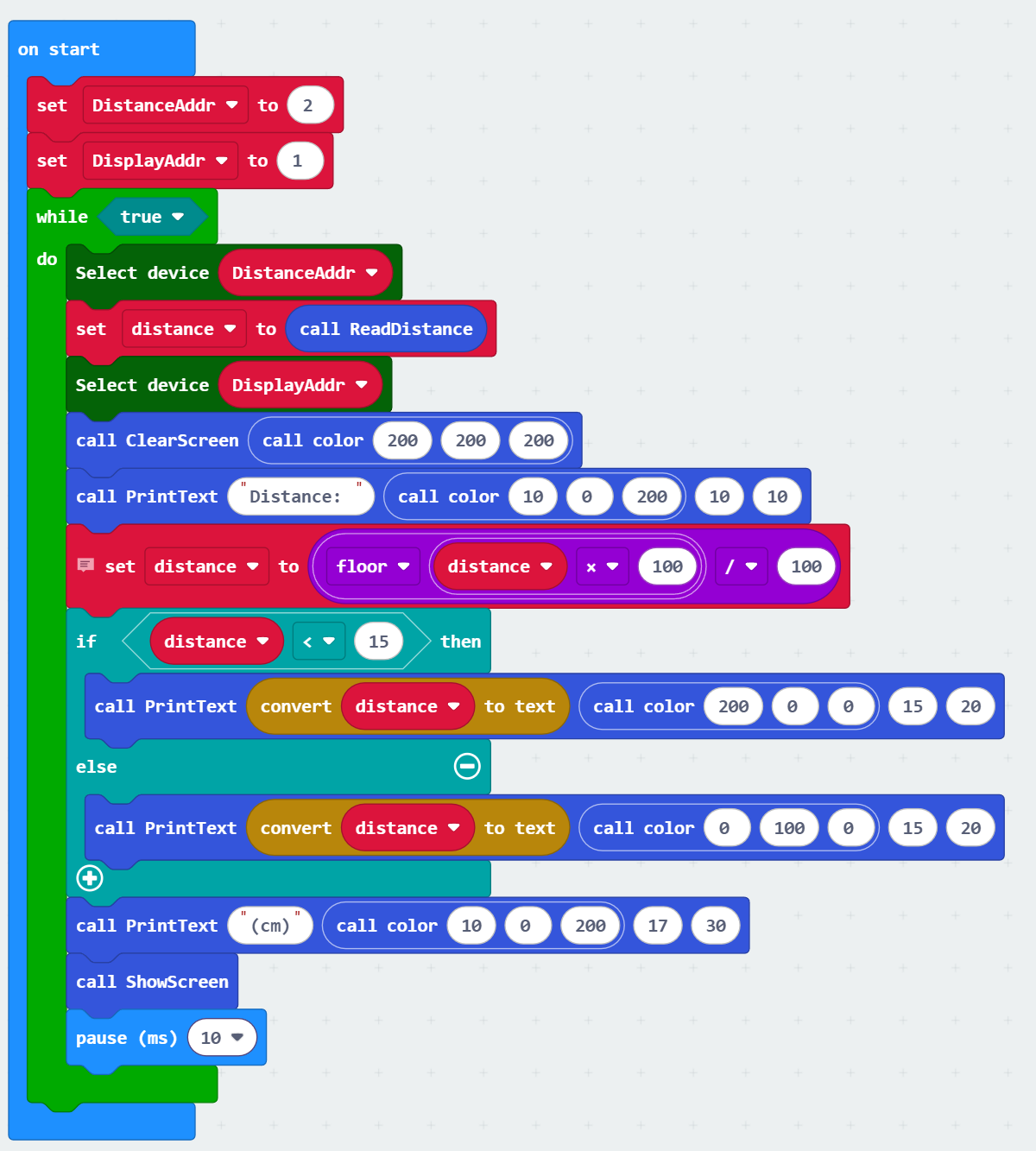
Download the hex file from here and drag it into the MakeCode design surface, to see it, modify it, or load it onto micro:bit.