MicroBlocks uses integers variables to lower memory requirements on small devices. But how do we handle situation where DUELink commands may require floating point numbers?
This can be accomplished by relying on the DUELink internal engine, which supports floating point numbers. Let’s say there is a ReadTemp() function that returns temperature reading. The temperature can be 24.56 for example. If we lose the decimal point, we end up with 24, which might be okay in some scenarios. An external system that needs to read the the value using Trunc(ReadTemp()). The block would look like this:

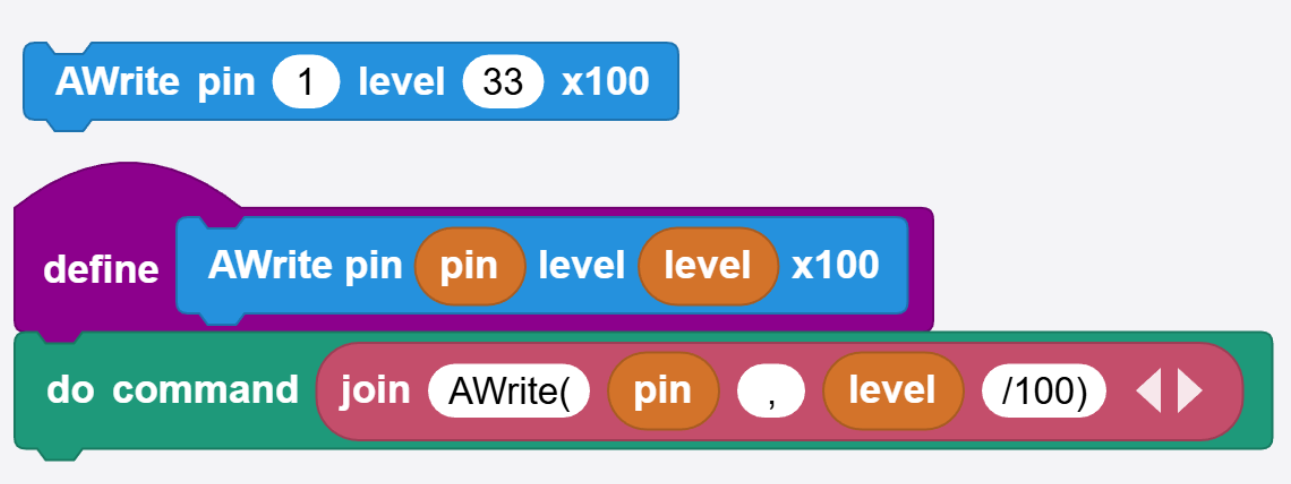
In case you didn’t know, “do command” is found in the DUELink Daisylink library.
But what if the temperature sensor is accurate to 0.2 degrees? We can utilize the engine to scale the value up x10. Back to the earlier example with temperature reading of 24.56 degrees, we would like to see at least 24.5, and even better see 24.6 when we round the value. With the x10 scaling, we want the end results to be 246. The command will look like Round(ReadTemp()*10).

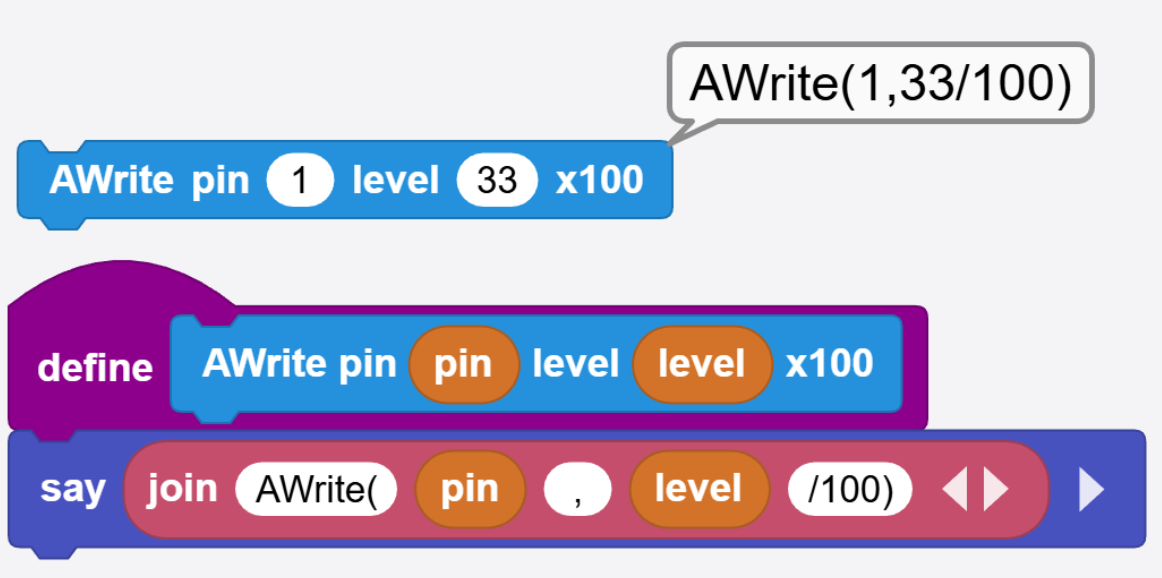
Similarly, a function might take a float number. For example, AWrite(pin, level)use a level between 0 and 1, where 0.33 is 33% for example. In this case, using a x100 multiplier will work well. AWrite(1, level/100) will work great if level is 33 because the engine will internally divide the value by 100 and the internal function will see 0.33.
The “say” block is useful to test out the command construction.
Similarly, any other mathematical functions and operations can be used to “cook” the value on the module’s scripting engine.