I’ve received my Ghizzly yesterday and begin to play. Microblocks yesterday, console now.
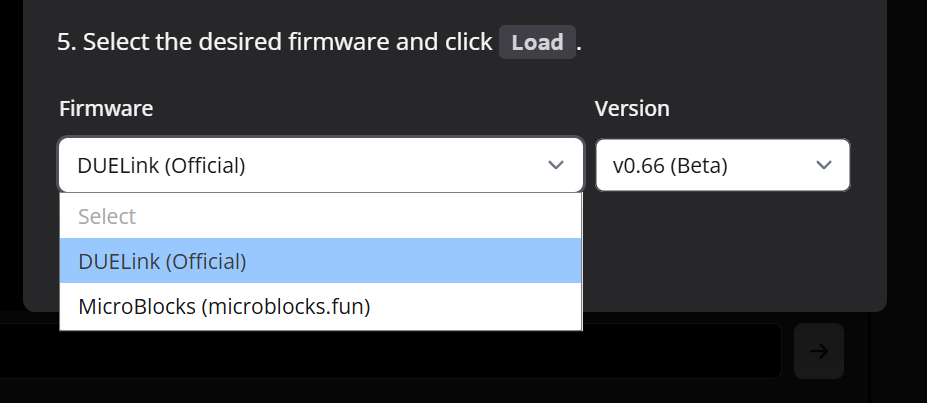
Update process should be more headed. As an old user, I’ve succeeded but for newbies it can be difficult. I think one things to clarify is to say that console has to loader: one for microblocks and one for everything else. Maybe in each page of Coding languages should be write which loader is required ?
I found a mistake in Fade Code (I’ve opened an issue on github).
The website is very enjoyable, and all information is well structured !
I like my new friend !
Next step: Python (for my son) and .Net … That’s the beginning of a new story !
Thank you. We have been making changes for a whole year! I am sure we have missed some docs and examples, like the one you found. Please point out whatever you find and we will fix right away. We will review all samples today anyway.
Ha ha! Yes Ghizzy is a good guy to have as a friend.
Let us know how that goes please. How old is your son?
Yes, I mean 2 firmware options but not in console: it was clear. The problem is from docs pages (ie: in the .Net page or in Python’s page in setup instructions, a mention to “Choose Duelink firmware”, and in Microblock”s page it should be “Choose Microblocks firmware” instead of of just “Make sure your hardware is updated with the latest firmware”.
Maybe “Make sure your hardware is updated with the latest firmware (DUELink)” ?
Fade Demo has been updated. Thanks again. As Gus mentioned we’ve been working on it all for a year. So I’m guessing there may be a few more “hidden easter eggs” somewhere that we missed. Happy Hunting!!!
Hi, I’m John Maloney, creator of MicroBlocks. I hope your son enjoys MicroBlocks. Although it appears simple, MicroBlocks is a fast and powerful programming language. What’s more, it runs natively on Ghizzy and other DUELink boards, so MicroBlocks programs can run without any laptop attached – you just need to provide power (e.g. using a cell charger or battery).
But Python is also a very fun language. Whichever language you use, programming hardware like Ghizzy is an exciting way to learn how to code.
MicroBlocks is indeed a wonderful tool fast and accessible and thanks for have been developing it.
My son use Python as this is a language he is learning at school. It’s a way to learn Python (and English !) by playing (exciting way as you said). My aim is to show him that they are a lots of others languages, each have pros and cons.
I agree with you: Microblock and DUELink are the simpliest way, but no the less powerfull !