FEZ Feather Performance: SPI4 communication issues with VS1053B while SPI6 operates correctly

I would like to report a reproducible issue that I have encountered while testing a VS1053B audio decoder on a FEZ Feather (two FEZ Feather with identical behaviour) Performance running TinyCLR.

Environment

  • FEZ Feather Performance
  • TinyCLR Firmware 3.0.2.1000
  • VS1053B audio decoder
  • Custom TinyCLR driver
  • USB flash drive used as media source

Summary

The same VS1053B device behaves differently depending on which SPI controller is used on the FEZ Feather Performance:

  • SPI6: Communication and audio playback operate correctly.
  • SPI4: Communication errors appear at the VS1053 register level before audio playback even begins.

The identical VS1053B module was previously tested on a FEZ Duino and operates correctly on multiple SPI controllers there.

Test Setup

The test application allows switching between SPI controllers via compile-time constants:

C#

#define FEATHER

#define FEATHER_SPI4

or

C#

#define FEATHER

#define FEATHER_SPI6

No other code changes are required.

Diagnostics

The driver includes:

  • Extensive debug logging via Debug.WriteLineIf
  • A VS1053 health-check subsystem
  • Register verification tests
  • Patch loading diagnostics
  • Format-specific playback tests

The abnormal behavior appears before decoder initialization completes and before any actual audio streaming takes place. This suggests that the issue may be related to SPI4 communication itself rather than media decoding, file I/O, or streaming logic.

Additional Notes

Initially, debugging was complicated by several faulty VS1053B modules from various suppliers. Those issues have since been isolated.

The observations described in this report are based entirely on two fully functional VS1053B module that:

  • Operates correctly on a FEZ Duino.
  • Operates correctly on SPI6 of the FEZ Feather Performance.
  • Exhibits communication failures when connected to SPI4 on the FEZ Feather Performance.

Because the hardware, firmware, driver, and media files remain unchanged except for the selected SPI controller, I suspect there may be a difference in SPI4 behavior that warrants investigation.

Reproduction Project

The complete driver project is publicly available:

GitHub Repository:
Implicate-X/ImplicateX.TinyCLR.Drivers.Decoder.Vs1053

The repository includes an App directory containing a TinyCLR console application specifically intended for integration testing and hardware validation. Switching between SPI4 and SPI6 can be done through compile-time constants, making the behavior easy to reproduce.

Please let me know if additional logs, diagnostics output, or Logic Analyzer captures would be useful.
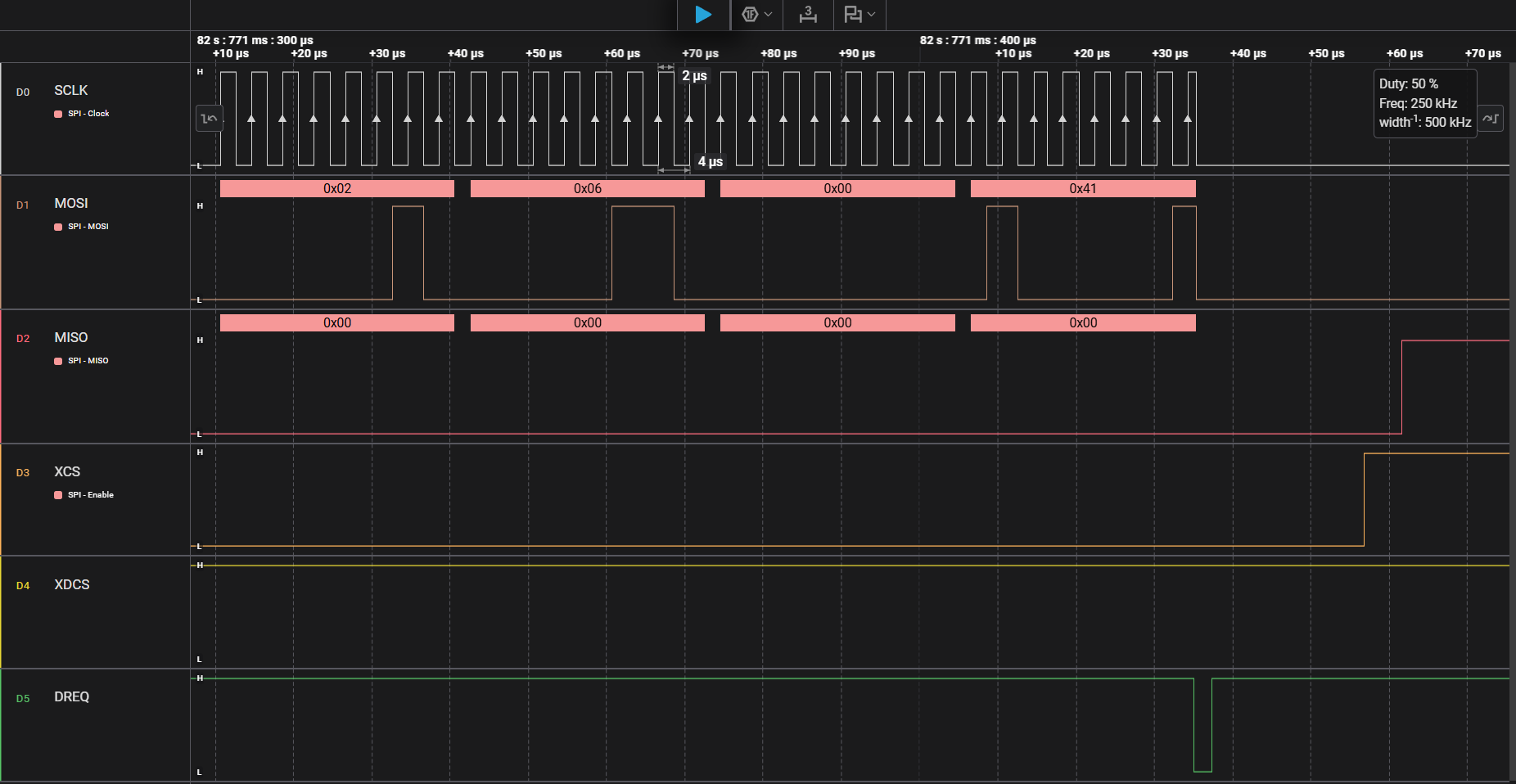
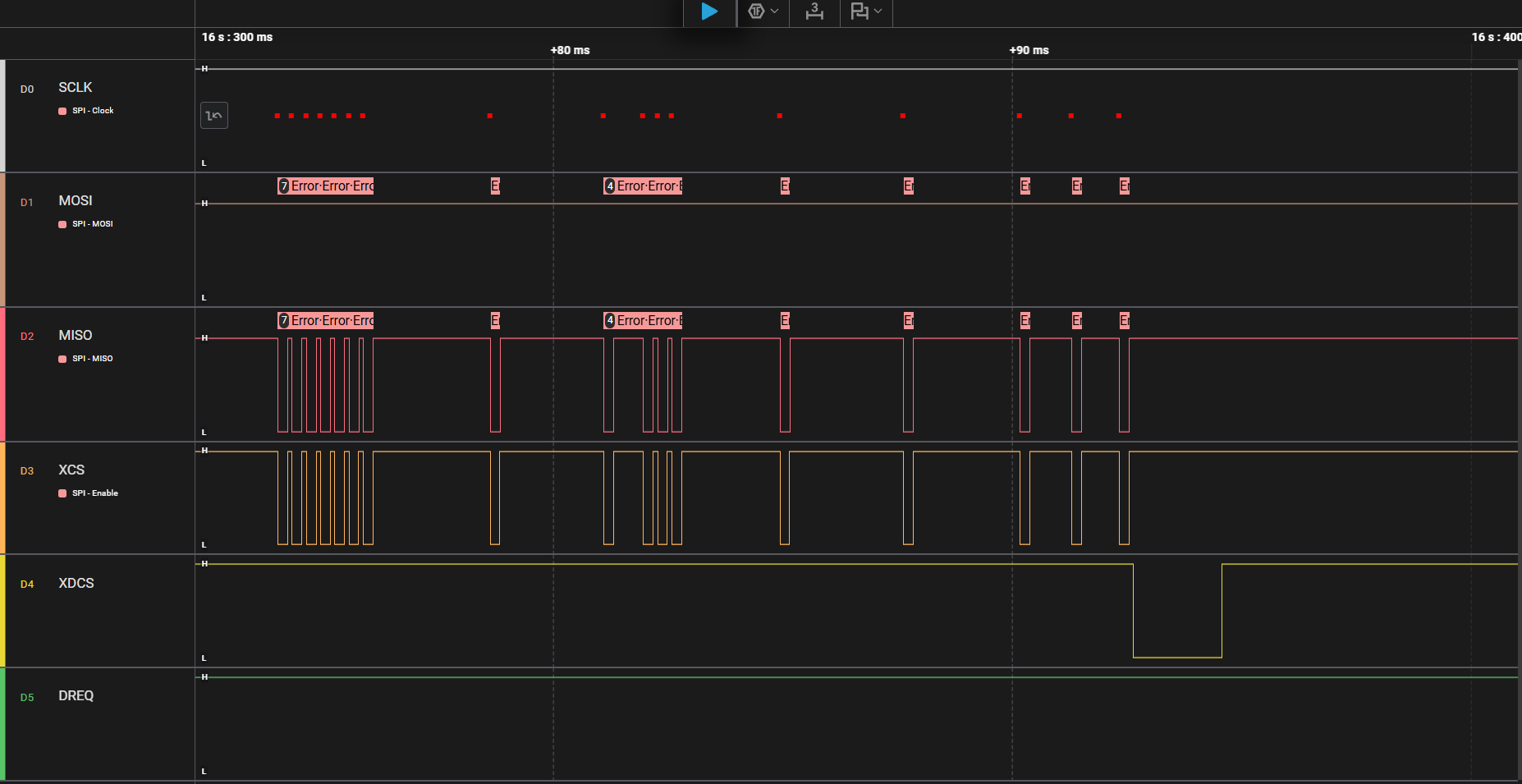
Additional testing performed on a FEZ Pico shows similar behavior. SPI2 operates correctly while SPI1 exhibits the same VS1053 communication issues observed on the FEZ Feather when using SPI4. No application-level changes were made other than selecting a different SPI controller.

Weird, we will take a look

Both SPI ports do work on the FEZ Pico. That was probably a contact issue. However, the two FEZ Feather boards definitely don’t work on SPI4. Everything is hardwired there, too.
The behavior is also different.
Something else has become noticeable as well.
If everything on SPI4 is ignored on the FEZ Feather and you try to stream data to the VS1053B, it takes a very long time, and eventually the output starts to sound like a hum and a gurgle.
Everything runs smoothly on SPI6,

SPI6;

SPI4:

SPI4 Investigation Update - Root Cause Identified and Workaround Available

Good news first: I believe the root cause has been identified, and I already have a practical workaround that allows development to continue. There is no urgency on my side, so a permanent fix can be investigated whenever your schedule allows.

Since I know you have a lot on your plate, I spent some additional time narrowing this down as far as possible before reporting back.

Summary

After extensive testing on:

  • FEZ Feather Performance (2 boards)
  • FEZ Duino
  • FEZ Pico
  • VS1053 audio decoder
  • Logic Analyzer verification

I believe the issue is isolated to SPI4 on the FEZ Feather Performance when switching between two SPI device configurations that use different clock frequencies.

Configuration

My VS1053 driver uses two SPI device instances on the same SPI controller:

SCI (control interface) = 250 kHz

SDI (data interface) = 5 MHz

The debugger confirms that the SDI device is configured correctly:

ClockFrequency = 5000000

Mode = Mode0

DataBitLength = 8

Observed Behavior

SPI6 (FEZ Feather)

Works correctly.

  • Health Check passes.
  • Sine Test passes.
  • Audio playback works normally.
  • Logic Analyzer confirms expected clock frequencies.

SPI4 (FEZ Feather)

Unexpected behavior.

  • Health Check fails.
  • Sine Test fails.
  • Audio playback eventually starts but is extremely slow and distorted.
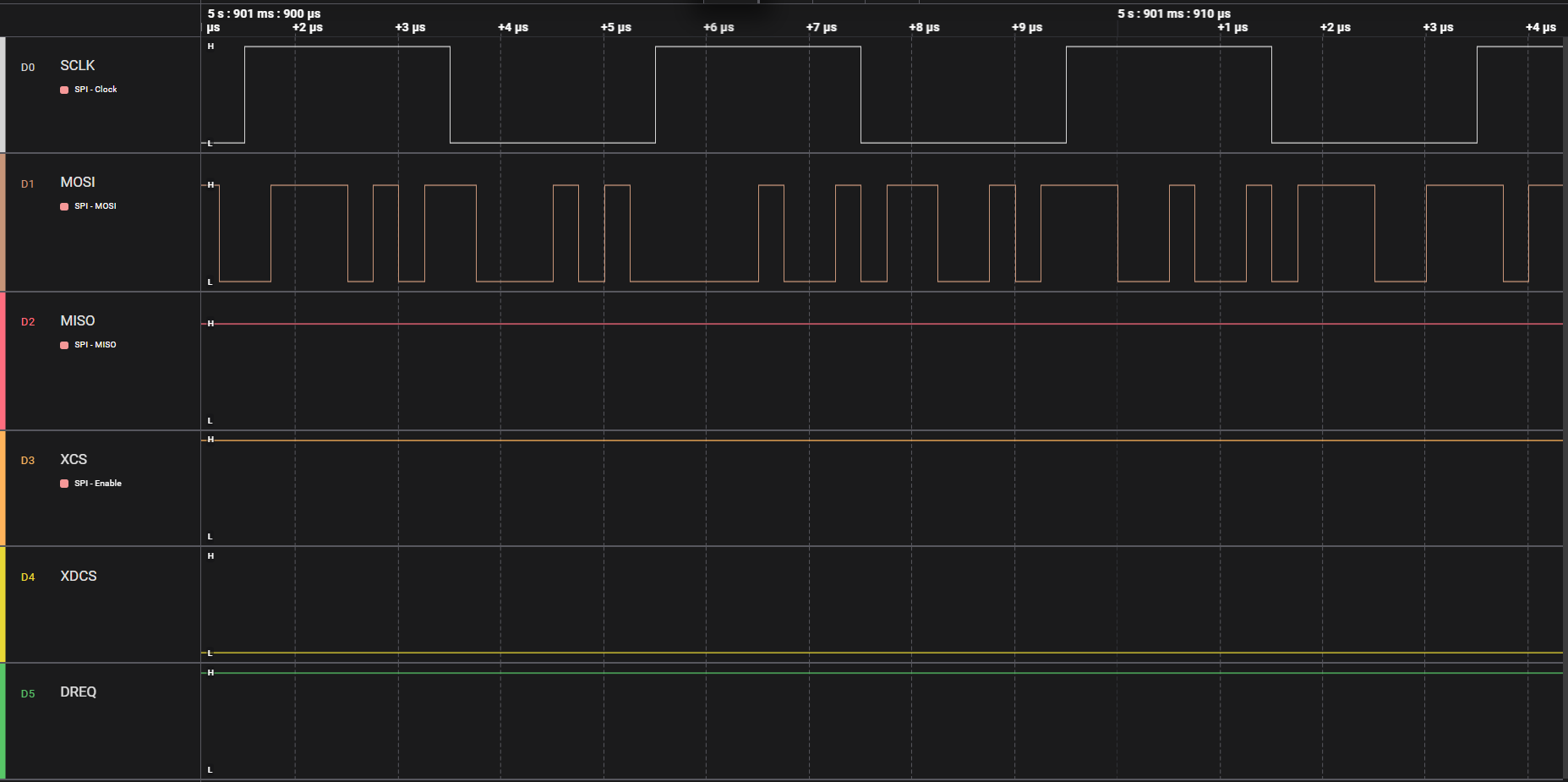
  • Logic Analyzer shows the SDI channel continuing to operate at approximately 250 kHz even though the configured SDI clock is 5 MHz.

The interesting part is that the debugger reports the correct 5 MHz configuration while the observed SPI clock remains at the previous SCI speed.

Investigation Performed

Verified:

  • Same VS1053 module.
  • Same application.
  • Same TinyCLR firmware.
  • Same driver.
  • Same wiring.
  • Reproduced on two FEZ Feather boards.
  • PE12 verified independently as GPIO output.
  • FEZ Duino works.
  • FEZ Pico works.

This appears to isolate the issue to SPI4 operation on the FEZ Feather.

Workaround

To test whether the problem was related to switching SPI clock configurations, I changed both channels to the same frequency:

SCI = 2 MHz

SDI = 2 MHz

Result:

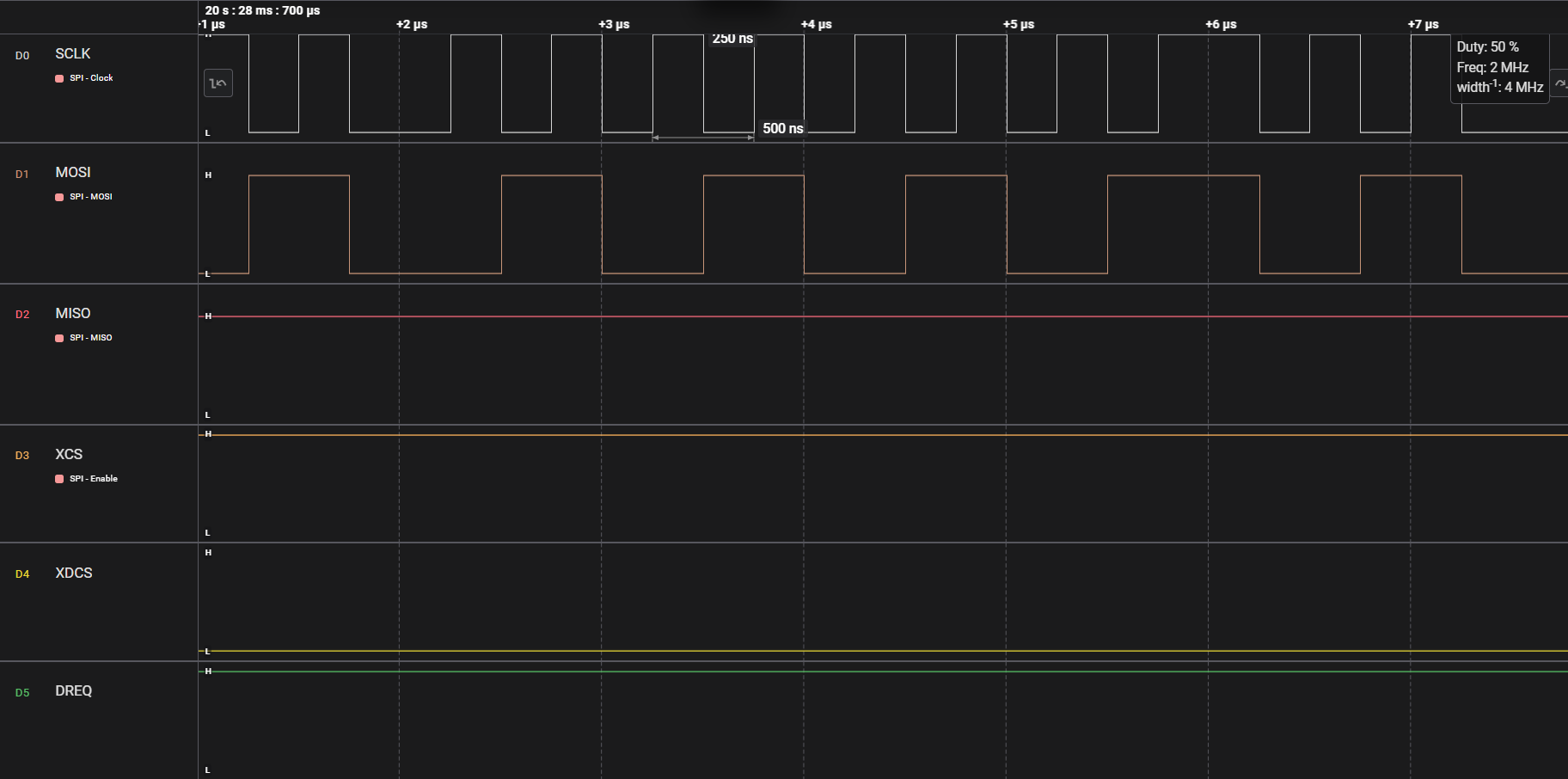
  • Logic Analyzer confirms 2 MHz operation.
  • Health Check passes.
  • Sine Test passes.
  • Audio playback works correctly.

This allows me to continue development without any further issues.

Current Hypothesis

My working hypothesis is that SPI4 does not correctly apply frequency changes when switching between multiple SPI device configurations on the same controller. When both devices use identical clock settings, the issue disappears.

Of course, this is only a hypothesis, but the attached captures seem to support this explanation.

I hope the investigation and captures are useful.

As mentioned above, I have a working workaround and can continue development, so there is no immediate pressure from my side.

Before Workaround: MOSI seems faster than SCLK

After Workaround:

3 Likes