There are instances where adding an industrial inputs/outputs might be desired. Say we want to control an analog output that is in the range of 0 to 10V. Waveshare happen to have one!
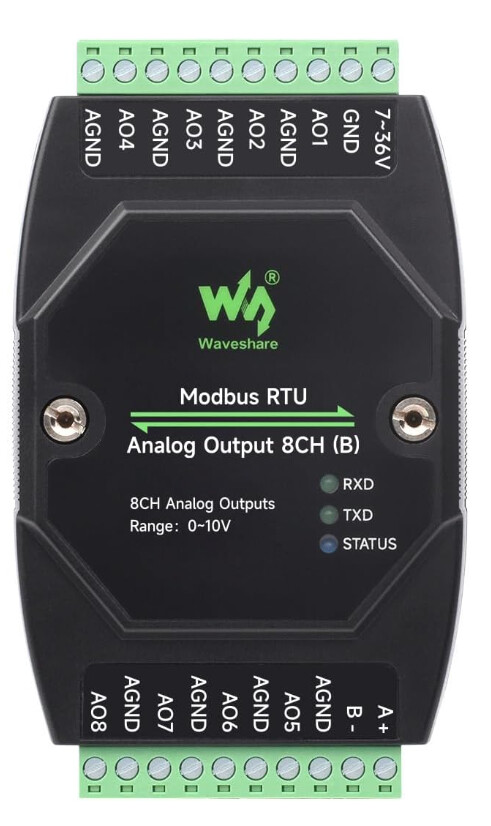
We can control this adaptor using the DUELink RS485 module.
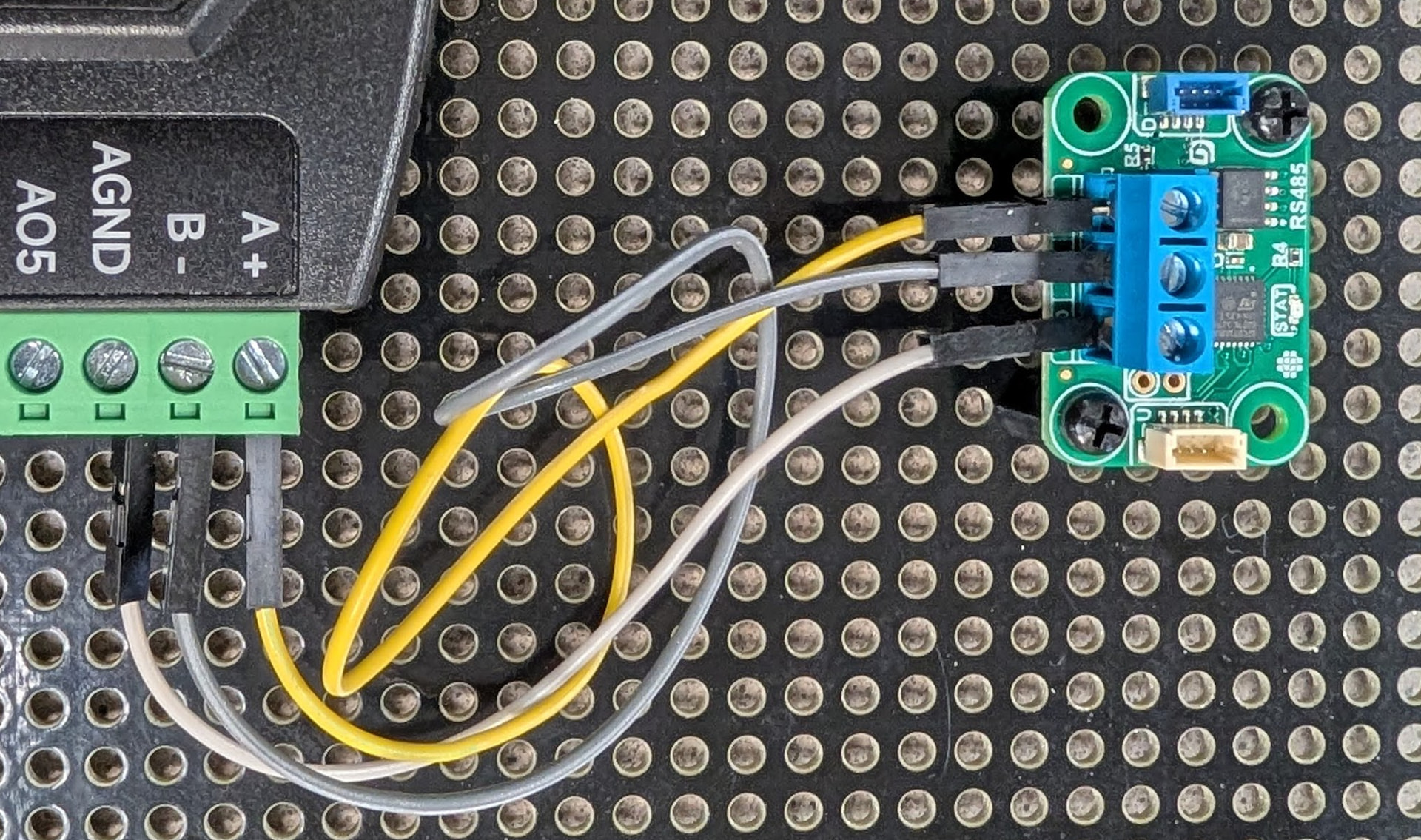
What is this means is now you can connect any supported hardware and access this analog output device. And of course you can just use the RS485 module in standalone mode.
For code, we can tether the modules to PC for example and use any of the supported coding languages. We can also use a script to run the code on the module itself. In either case, we are writing the appropriate serial commands.
fn sendCmd(b5)
    SerDisc() # Discard old data
    DWrite(_r, 1) # Disable RX
    DWrite(_d, 1) # Enable TX
    SerWrs(b5) # Send new command
    DWrite(_d, 0) # Disable TX
    DWrite(_r, 0) # Enable RX
fend
The commands are different for each device. Most importantly, each commands needs a checksum that is used to verify the data validity.
fn CalCrc(b4, s)
    h = 0xff
    l = 0xff
    i = 0

    for x = 0 to s
        i = l ^ b4[x]
        l = h ^ b1[i]
        h = b2[i]
    next

    return (h << 8) | l
fend
We are sharing this demo in multiple languages at duelink-projects/source/rs485-modbus-analog-output-8ch at main · ghi-electronics/duelink-projects · GitHub